Help centerLog inHelp center
Mobile Site Logo
Desktop Site Logo
    • Platform

      • Product overview
      • Contract Management
      • CPQ
      • Enterprise
    • Features

      • Image - Document generation - Icon
        Document generationAutomate document creation with customizable templates
      • Image - Payments - Icon
        PaymentsGenerate error-free quotes
tailored for every buyer
      • Image - Deal room - Icon
        Deal RoomsCollaborate and close deals in one personalized deal room
      • Image - Smart content - Icon
        Smart contentAdapt documents to the recipient's requirements
      • All features
    •  

      • automation icon
        Workflow AutomationsStreamline your workflow and reduce manual tasks
      • Approval workflow
        Approval workflowSimplify internal sign-offs before document delivery
      • Workspaces
        WorkspacesDistribute content across teams and departments
      • Tracking & analytics
        Tracking & analyticsGet insights into how users interact with your document
      • All features
    • Request a demo
    • Contact sales
    Product (Dropdown) - Featured Image
    Compare
    • vs DocuSign
    • vs Dropbox Sign
    • vs Adobe Sign
    • vs Proposify
    • View more
    • Image - Use case - Icon

      Use case

      • eSignatures
      • Proposals
      • Contracts
      • Quotes
      • Payments
      • All use cases
    • Image - Industry - Icon

      Industry

      • Software & technology
      • Professional services
      • Education
      • Healthcare
      • Construction
      • All industries
    • Image - Team - Icon

      Team

      • Sales
      • HR
      • Marketing
      • Customer success
      • Legal
      • All teams
    • Request a demo
    • Contact sales
    Customer stories
    • Image - Solution dropdown - Autodesk
      Autodesk now tracks sales metrics across its entire org
    • Image - Solution dropdown - Nomad
      Nomad cut customer acquisition costs by 20%
    • Image - Solution dropdown - TheKey
      TheKey saves 3,000 hours per year using PandaDoc
    • All customer stories
    • Sales and CRM

      • Hubspot
        Hubspot
      • Salesforce
      • pipedrive
        Pipedrive
      • Monday Logo
        Monday
    • Payment gateways

      • Square Logo
        Square
      • Stripe
        Stripe
      • Authorize Logo
        Authorize.net
      • Paypal Logo
        PayPal
      • QuickBooks Logo
        QuickBooks Payments
      • FreshBooks Logo
        FreshBooks
    • Collaboration and more

      • Zapier
      • Greenhouse
      • QuickBooks Logo
        QuickBooks
      • Slack Logo
        Slack
      • All integrations
    • API
    • Documentation
    Integration (Dropdown) - Featured Image
    CPQ Solutions
    • pipedrive
      Pipedrive CPQ
    • Hubspot
      Hubspot CPQ
    • Salesforce CPQ
      Salesforce CPQ
    • Image - Learn- Icon

      Learn

      • Customer stories
      • Blog
      • Templates
      • Webinars
      • Learning academy
      • Security
      • Resource library
      • AI Skills Lab
    • Image - Support - Icon

      Support

      • Help center
      • Contact us
      • Onboarding services
      • Professional services
      • Premium support
      • Partner Directory
    • Image - Developers - Icon

      Developers

      • API
      • Document embedding
      • Documentation
    • Request a demo
    • Contact sales
    Resources (Dropdown) - Featured Image
    Security & Compliance
    • Signature certificate
    • Two-factor authentication
    • HIPAA compliance
    • View more
  • API
  • Pricing
Request a demoStart a trialRequest a demo

Create a seamless document approval process

Workflow Approval

Make sure the right people review your document at the right time

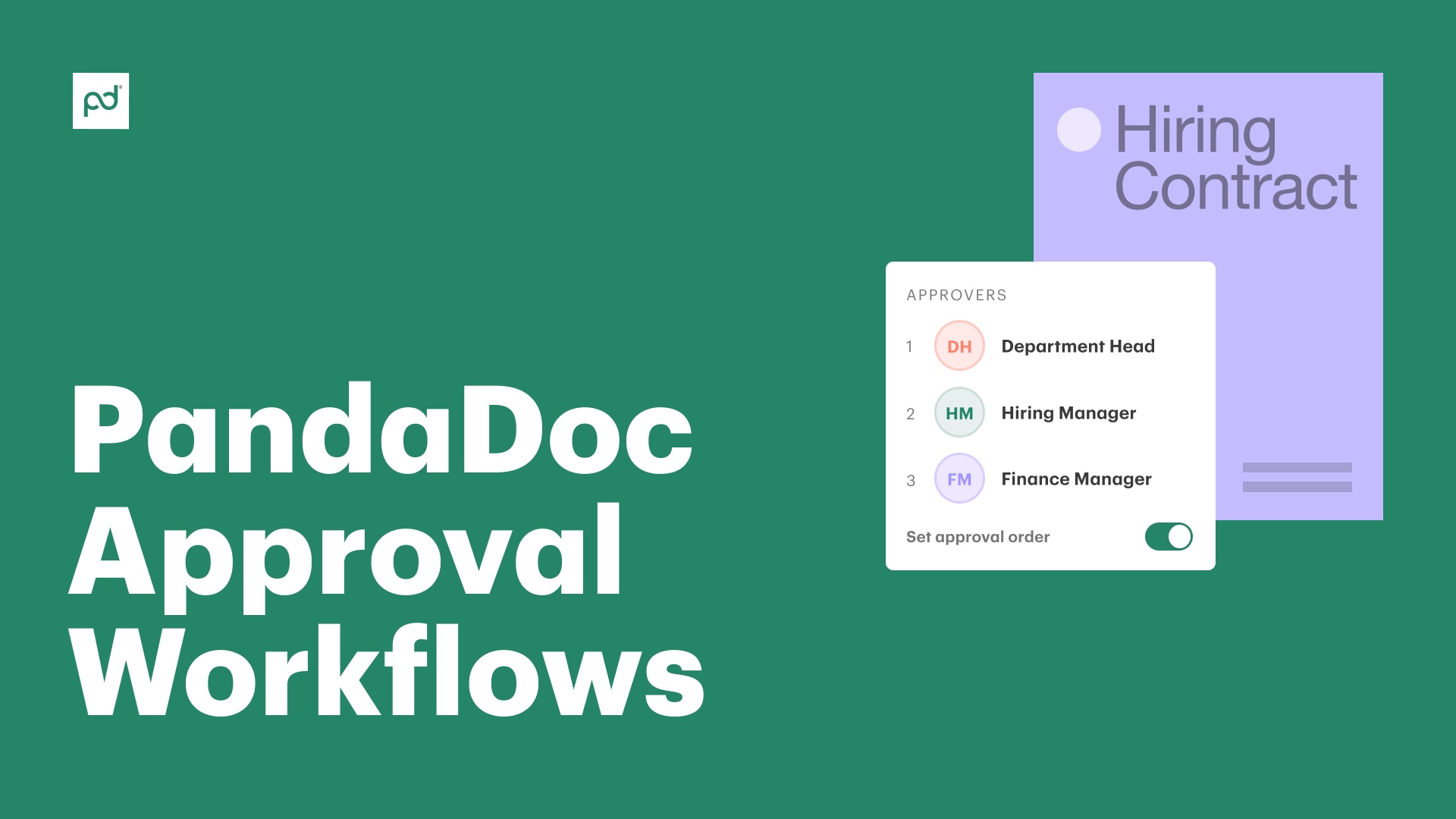
Set up an approval order in your template to ensure the right people are looped in automatically. To have the same person review a document at different stages, you can add them as an approver multiple times.

Product
  • Pricing
  • Integrations
  • Features
  • Updates
  • Security
  • HIPAA
Use cases
  • Proposals
  • eSignatures
  • Quotes
  • Contracts
  • Payments
  • Forms
  • Notary
  • API
  • CPQ
  • Deal Rooms
  • All use cases
Resources
  • Help center
  • Templates
  • Blog
  • Electronic signature law
  • How to guides
  • Developer center
  • System status
  • Onboarding services
  • Partner Directory
  • Recipes
  • AI Skills Lab
Compare
  • vs DocuSign
  • vs Dropbox Sign
  • vs Adobe Sign
  • vs Proposify
  • vs Docsend
  • All alternatives
Company
  • About us
  • Culture
  • Careers
  • Stand with Ukraine
  • Become a partner
  • Press
  • Contact us
  • Marketing Preferences

© 2026 PandaDoc Inc. All rights reserved.

Privacy Notice
    Legal
        Accessibility Statement
          Do Not Sell My Personal Information
            AI Information
              Workflow

              Customize approval processes

              Set up an automated internal workflow with designated approvers before sending to recipients. Designated approvers receive a document only when certain conditions are met, such as a specific document value or when adding a discount.

              Document Workflow Quote

              Notifications & audit trails

              Reviewers receive an email notification when a document is ready to approve. Audit trails and latest activity tiles track a document’s approval status, so you always know where you are in the process.

              Document Workflow Agreement

              Improve communication and collaboration

              Approvers can leave comments directly in the document. If a document is rejected, the sender must make edits and resend for review. Documents never go to clients before they’re ready and bottlenecks are identified and easily eliminated.

              • Badge 1
              • Badge 2
              • Badge 3
              • Badge 4
              • Badge 5
              • Badge 6
              • Badge 7
              • Badge 8
              • Badge 9
              • Trustradius – Buyers Choice
              • Badge 11
              • Badge 12
              • Badge 13
              • Badge 14
              • Badge 15
              • Badge 16

              Keep documents moving

              Set up an approval order

              Set up an approval order

              Need someone’s sign off before you can move to the next step? Approval orders let you send the document to one person at a time, in the appropriate order. With conditional approvals, designated approvers receive a document only if conditions are met such as document value, line item discount, or total discount.

              Send your document for review

              Send your document for review

              Once your document is ready, click send to get approval. The document status will change and team members will receive an email notification to approve or reject the document.

              Lock sensitive content & track changes easily

              Lock sensitive content & track changes easily

              Once the approver rejects or approves the document, the sender will receive an email notification along with any comments. With content locking and user permissions in PandaDoc, you can safeguard important documents to ensure only the right people can access and edit them.

              See how document approval workflows help your team streamline business operations

              Video thumbnail

              Will O’Neil, Head of IT & Strategic Enablement at Nomad

              See all reviews
              • Nomad
                Play video
                Customer logo

                PandaDoc’s HubSpot integration is second to none in comparison to competitors. It allows us to get a lot of information from the CRM directly into PandaDoc.

                Read full story

                92%

                reduction in proposal creation time

                20%

                reduction in customer acquisition costs

              • Wizehire
                Wizehire
                Customer logo

                PandaDoc has a personal touch — they listen, adapt, and support us like true partners. This has made all the difference. I know I can reach out to them anytime. They take their time to walk us through everything, and I can trust that they’ll help us resolve any issues quickly.

                Read full story

                25%

                more documents sent per month

                46x

                faster to get a signature compared to Docusign

              • Consensus
                Consensus
                Customer logo

                PandaDoc has enhanced the purchasing experience for our buyers and sales team. We’ve halved proposal creation time while demonstrating value in every single proposal. It’s helped us close more deals, save time and maintain our brand’s integrity.

                Read full story

                50%

                reduction in proposal creation time

                84%

                of proposals viewed by prospects

              Create error-free client-ready documents

              Document Proposals Quotes

              Proposals and quotes

              Get proposals out the door faster. Conditional approvals ensure the right people sign off on product discounts and pricing so you never have to second guess a quote.

              Document Finance Quote

              Financial documents

              Ensure expense reports, payroll forms, and purchase orders are approved by the right people. Enhance accuracy and streamline business processes.

              Docs Supply Contract

              Contracts

              Contracts have specific legal regulations and requirements. Enhance compliance and security through approval groups, audit trails, user permissions, and content locking.

              Approval workflows for all types of documents and teams

              • Sales

                Sales

                Automated approval workflows eliminate bottlenecks and time-consuming review processes. Approval order and conditional content help you create fast, accurate quotes to close more deals.

                Learn more
                Sales
              • HR

                HR

                HR documents need approvals from multiple teams. Keep team members on the same page and ensure timely approvals for onboarding, performance reviews, and employee requests.

                Learn more
                HR
              • Finance

                Finance

                Document approval workflows help finance teams manage expense approvals and purchase orders. User permissions, version control, and content locking prevent unauthorized edits and ensure only the right people have access to financial documents.

                Learn more
                Finance

              Create custom approval workflows for your teams

              Link: Learn more

              See how easy it is to set up approval workflows

              Set up a process so everyone reviews your document before it’s sent out.

              Learn more
              Link: Learn more

              Set conditional approvals to automate reviews

              Set conditional approvals for document value, total discount, line item discount, and more.

              Learn more

              Always know the status of your document

              Audit trails help you track document approval status to improve efficiency.

              Learn more

              Frequently asked questions

              • Many documents require approvals from multiple people before they’re considered ready to send. Approval workflows let you set up an automated internal process that connects all necessary users with a document before it’s sent to the intended recipient. You can send business documents to internal team members both before and after the document is finalized by enabling signing orders and adding necessary coworkers as final recipients.

              • Start by going into the PandaDoc template you’re using to create your document. You’ll see an ellipsis at the top of your template. Click that symbol, then click “Setup Workflow” and toggle “Approved” to the ‘on’ position.

                A popup window with a list of the people in your organization will appear. Select anyone who needs to approve the final document or add a specific approval group to send to an entire team at once.

              • If you turn on document approvals and assign reviewers, then the approval process begins as soon as the document creation process is done. After the document is created and the approval workflow is enabled, the reviewer will automatically receive a notification email with a link to the document.‌

                PandaDoc’s document workflow approval software allows the reviewer to immediately view the document and determine whether to approve or reject it. They can also provide additional feedback, edits, or comments directly within the document so the creator can easily make adjustments. If the document is approved, the reviewer can also forward it to other approvers or to the final recipient.


              • What happens after a document is approved is entirely up to you. You can choose whether document approval automatically sends the document to the final recipient or if the person who created the document should be notified first. This gives you complete flexibility and control over what happens with your document after it has been created, approved, or sent. Unlike with other open source workflow software options, you can make sure your workflow is entirely secure from end to end.

              • Yes, you can select specific, custom approval designations in every document and template you create. With PandaDoc’s approval routing software, you can avoid complicated processes or accidentally sending documents to the wrong recipient.

                To customize workflows, repeat the process to set up a designated order with as many approvers as needed.

              • PandaDoc’s cloud-based workflow software makes it easier than ever to get documents approved. If your designated approver is out of the office, t can review and approve documents in real-time from any device, anywhere in the world as long as they have an internet connection.

              • A document approval cycle defines the step-by-step process for a single document, from creation to completion. These steps can vary by organization and you can determine the best process for your team. A document approval cycle usually includes the following steps:

                • Document creation

                • Document review

                • Accepted or rejected

                • If the document is rejected, the creators make the necessary revisions

                • If approved, the document moves to the next step–if no other reviews are required, the document is sent to the client or customer

              What is a document approval workflow?

              A document approval workflow is a process created by your team to review and approve documents like contracts, proposals, and more. Automating approval workflows guarantees the document is reviewed by the right people and meets all requirements.

              Automate the process by assigning approvers at the template level and setting approval orders to designate who receives the document at each point in the process.

              AUTOMATED DOCUMENT APPROVAL WORKFLOWS

              Ensure accuracy and cut document creation time by 50%

              Stop chasing down key stakeholders and sending countless reminder emails. Automate the approval process and define a clear path for every document you create.

              Request a demo
              Start free 14-day trial

              No credit card required

              The Best
              Ensure accuracy and cut document creation time by 50%

              Over 68,000 customers use PandaDoc approval workflows to wow their buyers

              Boeing
              Bonusly
              Autodesk
              Rakuten
              TomTom
              PepsiCo
              Tata Steel
              Bosch
              HP
              Lead Forensics
              Link: Learn more

              Streamline your document workflow

              Get personalized 1:1 demo with our product specialist.

              • Tailored to your needs

              • Answers all your questions

              • No commitment to buy

              Chili Piper

              ChiliPiper increased their close rate by 28% after implementing PandaDoc.

              Schedule your free live demo

              1. 1Fill out the form
              2. 2Book a time slot
              3. 3Attend a demo

              By submitting this form, I agree that the Terms of Service and Privacy Notice will govern the use of services I receive and personal data I provide respectively.

              Chili Piper

              ChiliPiper increased their close rate by 28% after implementing PandaDoc.